WhatsApp MCP servers in 2026: official Business Platform servers vs WhatsApp Web bridges
Editorial team · updated · facts checked
A WhatsApp MCP server lets an AI agent such as Claude Code or Cursor call a WhatsApp API as tools. As of 24 September 2026, Meta runs its own server in beta, and Infobip, Bird, Sinch, WATI, Vonage, SendPulse, Brevo, Telnyx and AWS publish servers that can send on the WhatsApp Business Platform; Twilio's and Plivo's only search docs. Many "WhatsApp MCP" servers on GitHub and in the MCP Registry are something else: bridges into a personal account through WhatsApp Web, which WhatsApp's help center says violates its Terms of Service.
On 24 September 2026 we read Meta's MCP reference, the MCP page or repository of every WhatsApp provider in our dataset, WhatsApp's Terms of Service and help center, and the official MCP Registry. Nobody on the editorial team installed a server, connected an account or sent a message; the setup snippets are copied from vendor docs and marked as untested. Questions that apply to every channel, such as MCP server versus agent skill, are answered in our email MCP servers comparison; this page covers what is specific to WhatsApp.
Which WhatsApp API providers have an official MCP server
Of the 17 WhatsApp providers in our dataset, nine publish a first-party MCP server that can send WhatsApp messages or campaigns, and Meta runs one of its own. Four more expose a server without a general send tool, and four have none of their own. The first table covers the servers that send.
| Server | Status | Remote or local | Auth | What it sends | Template tools | WhatsApp rules its docs mention | Checked |
|---|---|---|---|---|---|---|---|
| Meta WhatsApp Business Tools | Official, beta, "rolling out gradually" | Remote | OAuth with a Meta developer account; three scopes | Free-form text or an approved template; "Confirms the target with you before sending" | List, get, create, update, delete | Text is "only delivered inside the 24-hour customer service window" | 24 Sep 2026 |
| AWS End User Messaging | Official general AWS server; no WhatsApp-specific one | Remote | OAuth, or SigV4 through the MCP Proxy for AWS | Any End User Messaging Social call through aws___run_script, with your IAM credentials | Same route; the aws-social-messaging skill guides template work | Skill prompts cover template approval status | 24 Sep 2026 |
| Bird | Official | Remote or local | OAuth 2.0 with PKCE | whatsapp_send | whatsapp_templates_*, per version and language | None on the MCP page; whatsapp_numbers_precheck before you buy a number | 24 Sep 2026 |
| Brevo | Official | Remote | Bearer MCP token with "full read/write access" | Campaigns only: "Create and send WhatsApp campaigns" | None listed | None | 24 Sep 2026 |
| Infobip | Official | Remote (mcp.infobip.com/whatsapp) | API key with a product scope, or OAuth 2.1 | Template messages, text, media, location, contacts | Create, edit, delete, retrieve | SMS failover; trial accounts send only to verified numbers | 24 Sep 2026 |
| SendPulse | Official | Remote | Browser login, or client ID and secret headers | A message to a contact of a WhatsApp chatbot; chatbot campaigns | None for WhatsApp | None | 24 Sep 2026 |
| Sinch | Official, "Developer Preview" | Local, or self-hosted HTTP | Project access key (PROJECT_ID, KEY_ID, KEY_SECRET) | Text, media and WhatsApp template messages | Create (as a draft or submitted for review), update, delete | get-whatsapp-account returns ban state and daily message limit | 24 Sep 2026 |
| Telnyx | Official | Remote and local | Bearer API key, or OAuth (a Telnyx Portal grant, e.g. for Claude custom connectors) | Any REST endpoint through invoke_api_endpoint, "destructive-capable" | Through the same generic tool | None | 24 Sep 2026 |
| Vonage | Official (Tooling server) | Local | API key and secret, application ID, Base64 private key | whatsapp-send-text, optionally with SMS failover | None | None; under Meta's rules, text reaches a user only inside the 24-hour window | 24 Sep 2026 |
| WATI | Official | Remote | OAuth 2.0 with PKCE | "Sending approved messages" | Templates, campaigns, send-cost estimates | Tools vary by account and rollout; confirm the workspace before writes | 24 Sep 2026 |
Sources: the vendor MCP pages and repositories listed at the end of this article; Meta's row comes from Meta's reference, as the directory has no card for Meta's Cloud API. Sinch's repository changed on 24 September 2026 and now lists WhatsApp template tools our dataset (checked a day earlier) lacks. The other eight providers:
| Provider | What exists | Can the agent send WhatsApp through it? | Checked |
|---|---|---|---|
| 360dialog | Official remote server; you pick scopes on the consent screen | Only three narrow ways: sandbox_send_message to your own sandbox number; getchat_send_message and getchat_apply_saved_response for replies in Inbox conversations (scope send:inbox); mba_send_message on numbers running Meta Business Agent, Meta's AI agent (scope write:agent). No general send tool | 24 Sep 2026 |
| Plivo | Official docs server with one tool, SearchPlivo | No; Plivo's CLI skill sends WhatsApp through the CLI instead (dataset, 23 September) | 24 Sep 2026 |
| Treble | A read-only docs endpoint that Treble's documentation doesn't mention | No | 24 Sep 2026 |
| Twilio | Official docs server, Public Beta | No: it "does not execute API calls"; the twilio-whatsapp-send-message skill helps write app code | 24 Sep 2026 |
| Blip | Third-party @codespar/mcp-take-blip | Yes, with your bot access key (send_message, create_broadcast) | 24 Sep 2026 |
| Botmaker | A community repository from one developer | It triggers intents and reads chats | 24 Sep 2026 |
| Gupshup | Zapier's Gupshup MCP, not Gupshup's | "Send Template Message", only to users marked opt-in | 24 Sep 2026 |
| Zenvia | Third-party @codespar/mcp-zenvia | send_whatsapp and send_template, with your API token | 24 Sep 2026 |
360dialog's tool list also depends on the MCP-Protocol-Version header the client sends. All 108 tools appear only with 2025-03-26 or 2025-11-25; with 2025-06-18 the server lists 36, and the sandbox send is the only send tool among them.
Three differences decide more than the brand. First, template tools: Meta, Bird, Infobip, Sinch and WATI have dedicated ones, AWS and Telnyx reach templates only through a generic call, and Vonage's server sends plain text only. Second, remote versus local: Sinch and Vonage run on your machine with keys in environment variables, the rest are hosted. Third, the registry. The official MCP Registry holds vendor-published entries for Bird (com.bird/mcp), Infobip (com.infobip/mcp, whose remotes include the WhatsApp server), SendPulse, Telnyx and AWS. It has none from Meta, WATI, Sinch or 360dialog, and Vonage's entry is its documentation server. Install from the URL or package that the vendor's own docs name.
Does Meta have an official WhatsApp MCP server?
Yes, in beta. Meta's WhatsApp Business Tools MCP runs at https://mcp.facebook.com/whatsapp_business_tools over Streamable HTTP and signs you in with your Meta developer account. Meta's page says the server "is rolling out gradually and may not be available to everyone yet", and that its interface and tools may change.
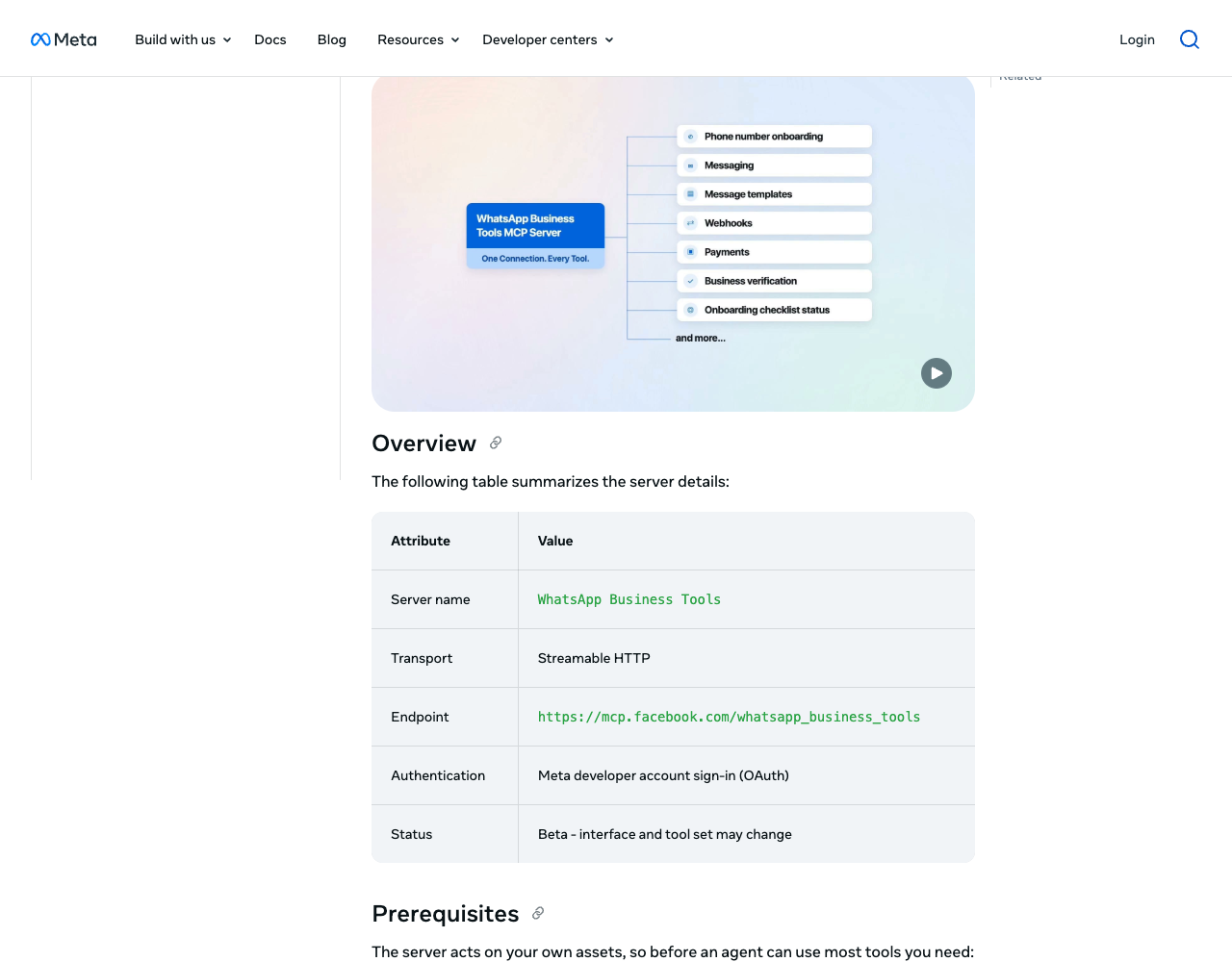
The 18 tools carry a whatsapp_biz_ prefix. They list your businesses, accounts and numbers; add, verify and register a phone number; list, create, update and delete templates; send a message; configure webhooks; set up a payment method for billable messages; check business verification. The token tool doesn't hand over a token: it returns a link to the System Users page in Business Settings. Most tools need admin rights on the business and on a WhatsApp-enabled app, and accepted Cloud API terms.
Consent asks for three scopes: business_management, whatsapp_business_management and whatsapp_business_messaging. Meta's own permissions page calls the first one "rarely needed". What you can narrow is which businesses and apps you select on the consent screen. Meta's MCP overview adds three rules worth copying: keep an app at the Read scope unless the agent must change something, use separate apps for development and production, and revoke unused servers under Settings > Business Integrations. Meta lists Claude Desktop, Claude Code, ChatGPT, Codex and Cursor (app and CLI) as validated clients.
Meta's second server, Meta Social Technologies MCP, handles apps, webhooks and docs search; its devtools plugin adds nine skills for Claude Code, Cursor and Codex, none of them WhatsApp-specific.
Official, community, WhatsApp Web: two separate questions
"Official" answers who publishes a server. "Unofficial" usually asks something else: which WhatsApp the server logs in to. That gives three cases:
- A vendor's server on the WhatsApp Business Platform. Everything in the first table.
- A community server on the Business Platform. For example
@codespar/mcp-whatsapp-cloudin the registry, with 22 tools over Meta's Graph API and your system user token. It stays within WhatsApp's rules, but a permanent token goes to code that neither Meta nor your provider reviewed. Read the source before you install, as the vibe coding security checklist explains for MCP packages. - A WhatsApp Web bridge. A personal or WhatsApp Business app account, linked by QR code, driven through the protocol WhatsApp Web uses. That is the risky one.
Unofficial WhatsApp MCP servers and the account-ban risk
The best-known bridge, lharries/whatsapp-mcp, had 6,310 GitHub stars on 24 September 2026; its last code push was on 13 July 2025. Its README says it connects "to your personal WhatsApp account directly" through the WhatsApp Web multidevice API, using the whatsmeow library: you scan a QR code, and may need to scan again after about 20 days. It stores your messages in a local SQLite database, and warns that it "is subject to the lethal trifecta".
It is one of many. A search of the official MCP Registry for "whatsapp" returned 29 servers (91 version records) on 24 September 2026, none published by Meta or by any provider in our directory. Ten describe themselves as pairing by QR code, running on WhatsApp Web or a personal account, or needing no Meta approval; three mention Meta's Cloud API or the Business API.
WhatsApp's own pages are direct about this:
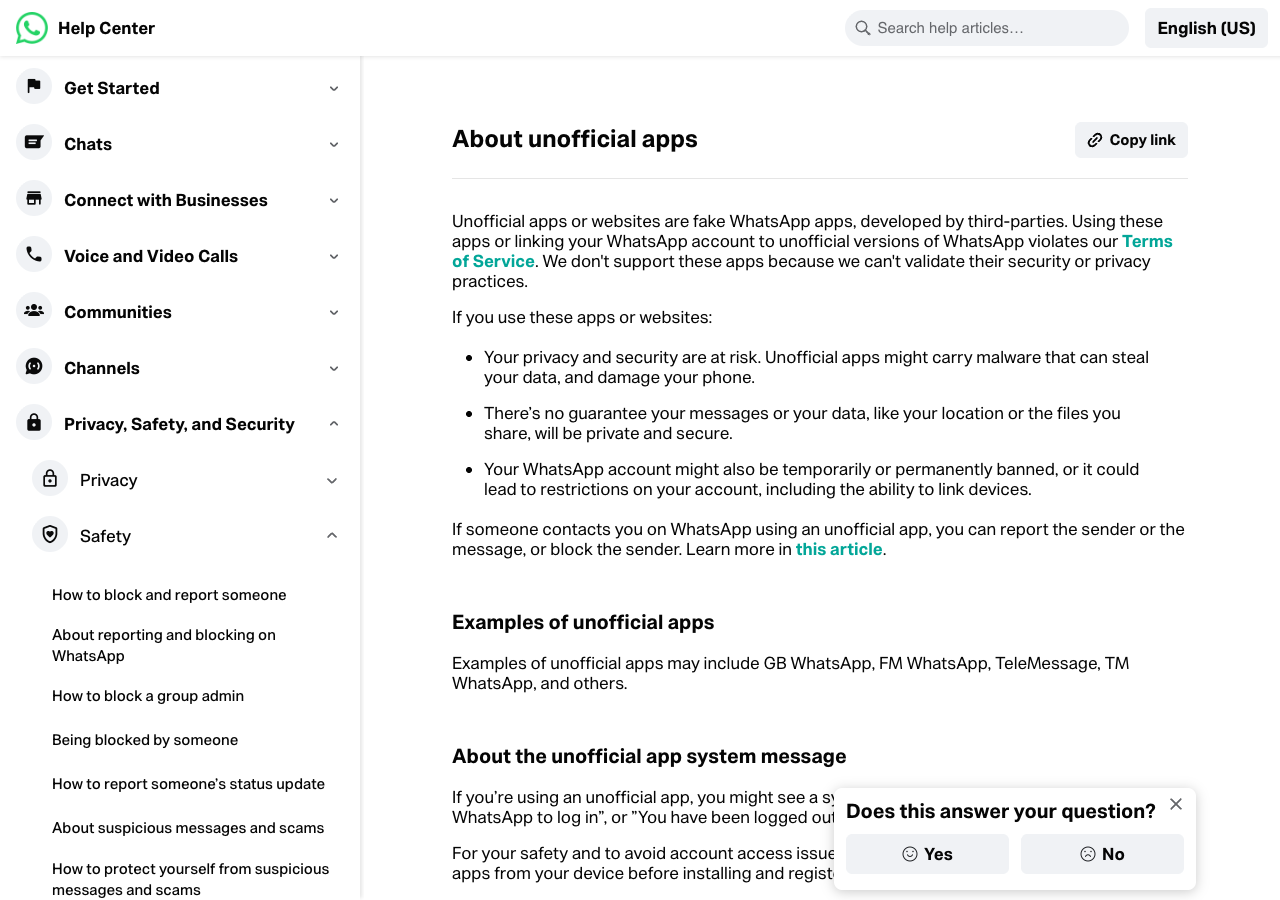
- About unofficial apps: "Using these apps or linking your WhatsApp account to unofficial versions of WhatsApp violates our Terms of Service." The account "might also be temporarily or permanently banned", and restrictions can include "the ability to link devices".
- The Terms of Service forbid using the service "through automated or other means" in "impermissible or unauthorized manners", and "any non-personal use of our Services unless otherwise authorized by us".
- Unauthorized use of automated or bulk messaging: "Our products are not intended for bulk or automated messaging". The same page says WhatsApp takes legal action against companies it links to such abuse.
The ban lands on the phone number, not on the bridge. If that number is the one your customers know, you lose it along with the chats. A bridge also has no approved templates and no Meta delivery webhooks, and every message the agent reads, including those from people who never agreed to it, goes to your model provider.
If what you want is Claude reading and answering your personal chats, no official route exists: Meta's server works only with numbers registered on the Business Platform. Our reading, not legal advice: the Terms have no exception for automating your own account, so for any business number use the Business Platform. The WhatsApp Business API guide covers the same line for Evolution API and similar REST wrappers, and Evolution API vs WhatsApp Cloud API weighs its ban risk against the official route's cost.
WhatsApp rules every MCP server inherits
No MCP server changes what the platform allows. Whichever you pick, the agent meets Meta's rules, and the error codes belong in its instructions:
- The 24-hour window. A user's message or call opens a 24-hour customer service window; free-form text works only inside it. Outside, Meta returns error
131047("More than 24 hours have passed since the recipient last replied") and you need a template. - Template approval. Templates must be
APPROVEDbefore sending, and review "can take up to 24 hours". An unapproved template or a wrong language code returns132001, so an agent that creates a template may have to wait before it can use it. - Limits for new accounts. An unverified business portfolio gets 250 templates per WhatsApp Business Account, and new portfolios can reach 250 unique users per moving 24 hours outside the window (messaging limits).
- Marketing. Businesses need opt-in before messaging people. Meta caps marketing templates per user and returns
131049; repeated resends to that user within 24 hours can block delivery to them for up to 24 hours (per-user limits). WhatsApp currently delivers no marketing templates to US phone numbers at all.
An agent's default reaction to a failed call is to retry. For 131049 that makes things worse, so tell it to stop and report. The WhatsApp Cloud API tutorial lists the other errors you are likely to meet.
How to connect Claude Code or Cursor to a WhatsApp MCP server
The snippets were copied from each vendor's documentation on 24 September 2026; we did not run them.
# Meta WhatsApp Business Tools (beta). Then run /mcp in a session and choose Authenticate.
claude mcp add --transport http whatsapp_business_tools https://mcp.facebook.com/whatsapp_business_tools

# Bird: same pattern, OAuth sign-in through /mcp
claude mcp add --transport http bird https://mcp.bird.com
In Claude Desktop, Meta's server goes in as a custom connector (Settings > Connectors > Add custom connector) with the same URL. Meta's reference has no Cursor snippet, although its overview lists Cursor as validated. Bird's Cursor config goes into ~/.cursor/mcp.json, and Cursor then shows the server as "Needs login":
{
  "mcpServers": {
    "bird": {
      "url": "https://mcp.bird.com"
    }
  }
}
Infobip's example uses an API key header; leave headers out and clients that support OAuth 2.1 start the sign-in instead:
{
  "mcpServers": {
    "ib-whatsapp": {
      "type": "http",
      "url": "https://mcp.infobip.com/whatsapp",
      "headers": {
        "Authorization": "App ${INFOBIP_API_KEY}"
      }
    }
  }
}
360dialog documents claude mcp add --transport http 360dialog https://mcp.360dialog.com/mcp, WATI a remote URL (https://mcp.wati.io/mcp) with OAuth, Sinch npx -y @sinch/mcp with a --tags filter such as whatsapp, and Vonage npx -y @vonage/vonage-mcp-server-api-bindings.
Safe setup: narrow credentials, templates, a human on marketing
Give the agent the narrowest credential
- Meta: on the consent screen, select one business and one app, ideally a development app. For your own code, Meta's permissions page lists sending (
whatsapp_business_messaging) separately from templates and account data (whatsapp_business_management); a token that only sends needs only the first. - Infobip: API keys take scopes, and
whatsapp:message:sendis narrower thanwhatsapp:manage("access to all WhatsApp API end-points"). The WhatsApp server's OAuth metadata advertises onlywhatsapp:manage, and the MCP page doesn't say which tools a send-only key can run; template management will probably need the wider scope. - AWS: IAM decides. A policy allowing
social-messaging:SendWhatsAppMessageon one phone number ID limits the agent to that number. - 360dialog: declining a scope hides its tools; without
write:channelsthe agent never seesset_display_name, and decliningsend:inboxandwrite:agentremoves the Inbox and Meta Business Agent sends. - WATI: the OAuth metadata lists a single scope,
all. What the agent gets depends on the account and WATI's rollout, so readtools/listbefore trusting it. - Sinch: keep it on stdio. In single-tenant HTTP mode the README warns that
/mcphas "no inbound authentication" and anyone who reaches the port "transacts on that account". - Vonage: its install guide recommends a web page for converting the application's private key to Base64 and says the page transmits nothing. The
base64command on your own machine does the same job without pasting a private key into a browser tab.
Prefer template sends
A template carries wording Meta has already approved; the agent only fills in the parameters. That limits what an injected instruction or a confused model can say to a customer, and outside the 24-hour window nothing else is delivered anyway. Where the server has a dedicated template tool (Sinch's send-whatsapp-template-message, Zenvia's send_template), deny the free-text one (send-text-message, send_whatsapp). Meta's server uses one tool for both, so there the approval prompt is your control.
Keep a human on marketing sends
Meta's send tool "Confirms the target with you before sending". Cursor asks before each MCP tool call unless you allowlist it. In Claude Code, ask and deny rules name tools as mcp__<server>__<tool>, per the permissions docs. With Meta's server registered as whatsapp_business_tools:
{
  "permissions": {
    "ask": ["mcp__whatsapp_business_tools__whatsapp_biz_send_message"],
    "deny": [
      "mcp__whatsapp_business_tools__whatsapp_biz_delete_template",
      "mcp__whatsapp_business_tools__whatsapp_biz_configure_webhooks",
      "mcp__whatsapp_business_tools__whatsapp_biz_subscribe_webhook",
      "mcp__whatsapp_business_tools__whatsapp_biz_configure_payments"
    ]
  }
}
Denying the webhook tools matters: an injected instruction that repoints your callback URL would route every incoming message, phone numbers included, to someone else's server. Campaign tools deserve the strictest treatment. Brevo's whatsapp_campaigns and SendPulse's chatbots_bots_campaigns_wa_send send to whole lists, and WATI's server works with campaigns and segments. Marketing needs opt-in, runs into per-user caps and is billed per delivered template (WhatsApp pricing); WATI's send-cost estimate is a useful check before a person approves.
Treat inbound WhatsApp messages as untrusted input
Meta's overview warns that instructions hidden in "webhook payloads, documents, or web pages" can make an agent misuse its scopes, and advises: "Don't grant write/manage scopes to AI agents that process untrusted input." Servers that read conversations, such as WATI's, Bird's whatsapp_list or any WhatsApp Web bridge, put text written by strangers in front of an agent that can also send. Our email MCP article explains the pattern, and the fix is the same: read with one setup, send with another that you watch.
When an MCP server is the wrong tool
An MCP server earns its place in setup and diagnosis: registering a number, drafting templates, checking webhooks, working out why a send failed with 131047 or 132001. One-time codes, order updates and payment reminders belong in your app's code with its own token, not in an agent session. An AI agent that answers customers on WhatsApp is a different build, a webhook application calling a model, covered in connecting an AI agent to WhatsApp and SMS. If you are still choosing a provider, the WhatsApp API rankings score MCP and agent support as one criterion among pricing, webhooks and compliance.
Related guides
- MCP servers and agent skills dataset: MCP status, transport and auth for all 27 providers, as CSV and JSON
- WhatsApp Business API guide: access, BSPs, templates, the 24-hour window and unofficial APIs
- WhatsApp Cloud API tutorial: a system user token, a template send and a signed webhook, step by step
- Email MCP servers compared: MCP versus skills, key scopes and inbound mail as untrusted input
- Vibe coding security checklist: MCP tokens, exposed keys and package supply chain
- WhatsApp Business API pricing: what each template an agent sends costs in the US, Brazil and Mexico
About this guide
The PingMyUsers editorial team wrote this article for developers deciding whether an AI agent should touch their WhatsApp account, under the rules on the methodology page; Sensaria AG in Switzerland operates the directory. We did not install any MCP server, link a WhatsApp account or send a message, and the snippets are marked illustrative for that reason. Providers appear alphabetically; none paid for placement or reviewed the text. Report an error to contact@sensaria.ch; corrections are dated and sourced.
Methodology
On 24 September 2026 we re-read Meta's WhatsApp Business Tools MCP reference and MCP overview, Meta's pages on permissions, customer service windows, templates, messaging limits, per-user marketing limits, opt-in and error codes, and the MCP page or repository of each provider in the tables. Help-center pages that render in JavaScript were read in a headless browser. We queried the official MCP Registry API for "whatsapp" and for each provider, checked npm versions, and read WhatsApp's Terms of Service and three help-center articles on unofficial apps, bans and automated messaging. Rows were compared with the directory's provider dataset (checked 23 September 2026); differences are logged in our editorial notes, not silently merged. The question list behind the page comes from one pass of AI-search query research on ChatGPT and Gemini (45 queries kept). Statuses follow the directory's rule: a community or third-party server never counts as official.
Last updated
24 September 2026: first version. Meta's server is a beta with a gradual rollout and Sinch's is a Developer Preview whose repository changed on the day we checked, so we re-check both before publication on 18 November 2026, every six months after, and sooner if Twilio ships the execute-ready tools it lists as planned.
Frequently asked questions
Is there an official WhatsApp MCP server?
Yes. Meta's WhatsApp Business Tools MCP is in beta and rolling out gradually. Infobip, Bird, Sinch, WATI, Vonage, SendPulse, Brevo, Telnyx and AWS also publish official servers that can send on the WhatsApp Business Platform.
Does Meta provide an MCP server for the WhatsApp API?
Yes, at mcp.facebook.com/whatsapp_business_tools, with OAuth sign-in and 18 tools for numbers, templates, messages, webhooks and payment setup. Meta marks it Beta and says it may not be available to everyone yet.
How do I connect Claude or Cursor to WhatsApp with MCP?
Add the provider's remote URL to the client, for example claude mcp add --transport http with Meta's or Bird's endpoint, then sign in through /mcp. In Cursor the URL goes into mcp.json. Local servers such as Sinch's and Vonage's run through npx with keys in environment variables.
Is the unofficial WhatsApp MCP server safe for a business?
No. Bridges such as lharries/whatsapp-mcp log in to a personal account through WhatsApp Web. WhatsApp says linking an account to unofficial versions violates its Terms of Service and can get the account temporarily or permanently banned.
Does Twilio have a WhatsApp MCP server?
Only for documentation. Twilio's MCP server, a Public Beta, searches docs and API specs and does not execute API calls. Twilio's twilio-whatsapp-send-message skill helps an agent write the sending code instead.
Can an AI agent send WhatsApp messages outside the 24-hour window?
Only with an approved template. Free-form text outside the customer service window fails with error 131047, whichever MCP server sends it.
Which WhatsApp MCP servers can manage message templates?
Meta's, Bird's, Infobip's, Sinch's and WATI's servers expose template tools, and 360dialog's creates and deletes templates but sends them only through mba_send_message, on numbers running Meta Business Agent. Vonage's server sends text only.
Sources
- Meta — WhatsApp Business Tools MCP (beta; endpoint, scopes, tools) — checked 24 September 2026
- Meta — MCP servers overview (supported clients, security and best practices) — checked 24 September 2026
- Meta — WhatsApp Business Platform permissions — checked 24 September 2026
- Meta — Send messages: customer service windows — checked 24 September 2026
- Meta — Templates overview (review and statuses) — checked 24 September 2026
- Meta — Per-user marketing template message limits — checked 24 September 2026
- Meta — Messaging limits — checked 24 September 2026
- Meta — Get opt-in for WhatsApp — checked 24 September 2026
- Meta — WhatsApp Cloud API error codes — checked 24 September 2026
- facebook/agentic-tools on GitHub (Meta devtools plugin, nine skills) — checked 24 September 2026
- WhatsApp Terms of Service (Acceptable Use of Our Services) — checked 24 September 2026
- WhatsApp Help Center — About unofficial apps — checked 24 September 2026
- WhatsApp Help Center — About temporarily banned accounts — checked 24 September 2026
- WhatsApp Help Center — Unauthorized use of automated or bulk messaging on WhatsApp — checked 24 September 2026
- lharries/whatsapp-mcp on GitHub (personal account via WhatsApp Web) — checked 24 September 2026
- Official MCP Registry — search results for whatsapp — checked 24 September 2026
- codespar/mcp-dev-latam on GitHub (WhatsApp Cloud, Take Blip and Zenvia MCP packages) — checked 24 September 2026
- Infobip — Using Infobip MCP servers (WhatsApp endpoint, API key or OAuth 2.1) — checked 24 September 2026
- Infobip — API authorization (whatsapp:message:send and whatsapp:manage scopes) — checked 24 September 2026
- Infobip — WhatsApp MCP server OAuth protected-resource metadata — checked 24 September 2026
- Bird — MCP server (hosted and local, WhatsApp tools, OAuth grant limits) — checked 24 September 2026
- sinch/sinch-mcp-server on GitHub (Developer Preview; npm @sinch/mcp 0.0.1-alpha.6) — checked 24 September 2026
- WATI — WATI MCP Server — checked 24 September 2026
- WATI — MCP OAuth authorization-server metadata — checked 24 September 2026
- Vonage — Install the Server API Bindings (Tooling) MCP Server — checked 24 September 2026
- Vonage-Community/vonage-mcp-server-api-bindings on GitHub (npm 1.5.1) — checked 24 September 2026
- SendPulse — MCP server basics — checked 24 September 2026
- SendPulse — List of MCP tools — checked 24 September 2026
- Telnyx — Remote MCP — checked 24 September 2026
- Telnyx — MCP server card (invoke_api_endpoint is destructive-capable) — checked 24 September 2026
- AWS End User Messaging Social — Agent setup guide (WhatsApp) — checked 24 September 2026
- AWS — Understanding the AWS MCP Server tools — checked 24 September 2026
- AWS Service Authorization Reference — AWS End User Messaging Social actions — checked 24 September 2026
- Brevo — MCP server (27 modules incl. WhatsApp campaigns) — checked 24 September 2026
- Brevo — Tool configuration (MCP token grants full read/write access) — checked 24 September 2026
- 360dialog — 360Dialog MCP — checked 24 September 2026
- Twilio — Twilio MCP server (docs search, Public Beta) — checked 24 September 2026
- Plivo — AI-powered documentation search (MCP) — checked 24 September 2026
- Zapier — Gupshup MCP — checked 24 September 2026
- Claude Code — Configure permissions (MCP rules) — checked 24 September 2026
- Cursor — Agent security (MCP tool approval) — checked 24 September 2026